YEW CHUNG YEW WAH
EDUCATION NETWORK
FIND A CAMPUS SITE
YCIS Hong Kong
YCCECE
YCIS Silicon Valley
YCIS Beijing
YCIS Beijing Yizhuang
YCIS Chongqing
YCIS Qingdao
YCIS Shanghai
YWIES Beijing Yizhuang
YWIES Guangzhou
YWIES Shanghai Gubei
YWIES Shanghai Lingang
YWIES Yantai
YWIES Zhejiang Tongxiang
YWS of Hong Kong
YWIEK Chongqing Fudi
YWIEK Chongqing Rongke
YWIEK Shanghai Biyun
YWIEK Shanghai Lingang
YWITDC Shanghai
YWIEK Qingdao
SCC
Yew Wah Infant and Toddler Education Centre of Shanghai Lingang
All YCYW Schools
Seeds for the Future
YCYW Souvenir
Contact Us
Frequently Asked Questions
Professional Development Platform
English
繁體中文
简体中文
Professional Development Platform
English
繁體中文
简体中文
Professional Development Platform
English
繁體中文
简体中文
Professional Development Platform
English
繁體中文
简体中文
Professional Development Platform
English
繁體中文
简体中文
Professional Development Platform
English
繁體中文
简体中文
Whatsapp Users
WeChat Users
Whatsticker Download Tutorial (iOS)
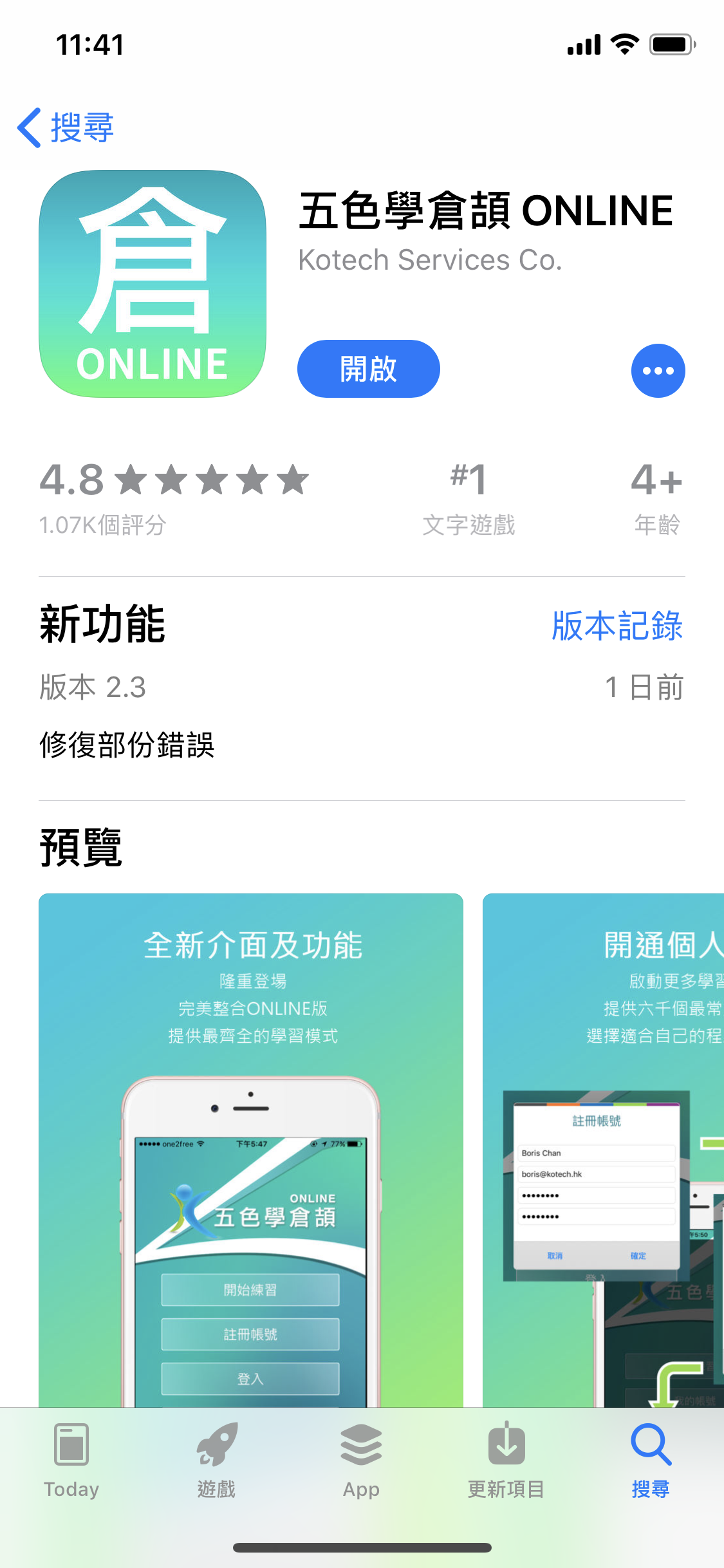
Step 1: Download "五色學倉頡Online" app | 步驟一:下載“五色學倉頡Online“應用程式
Download app | 下載程式
Step 2: Use Safari to open the Whatsticker link
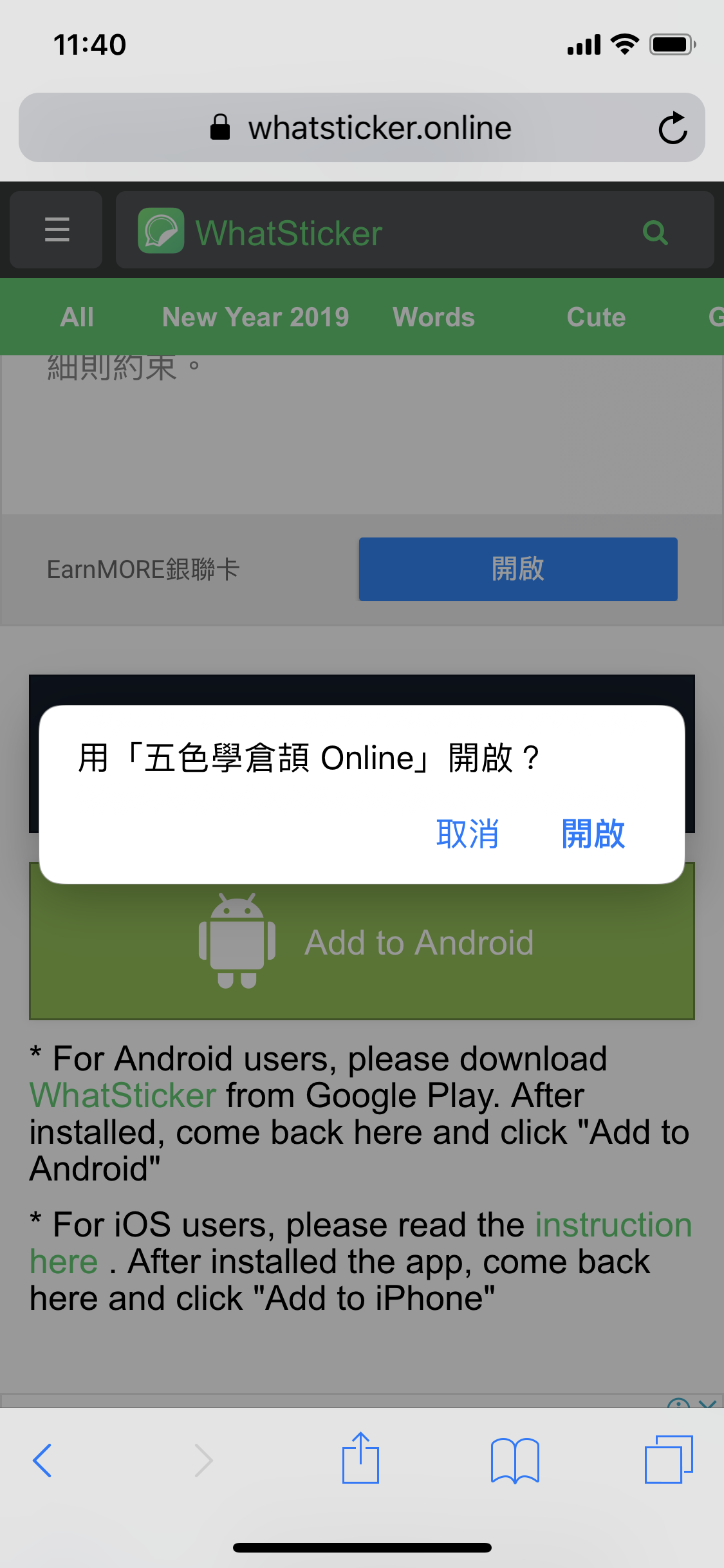
Step 3: Click to open the "五色學倉頡Online" app | 步驟三:黠擊打開"五色學倉頡Online"應用程式
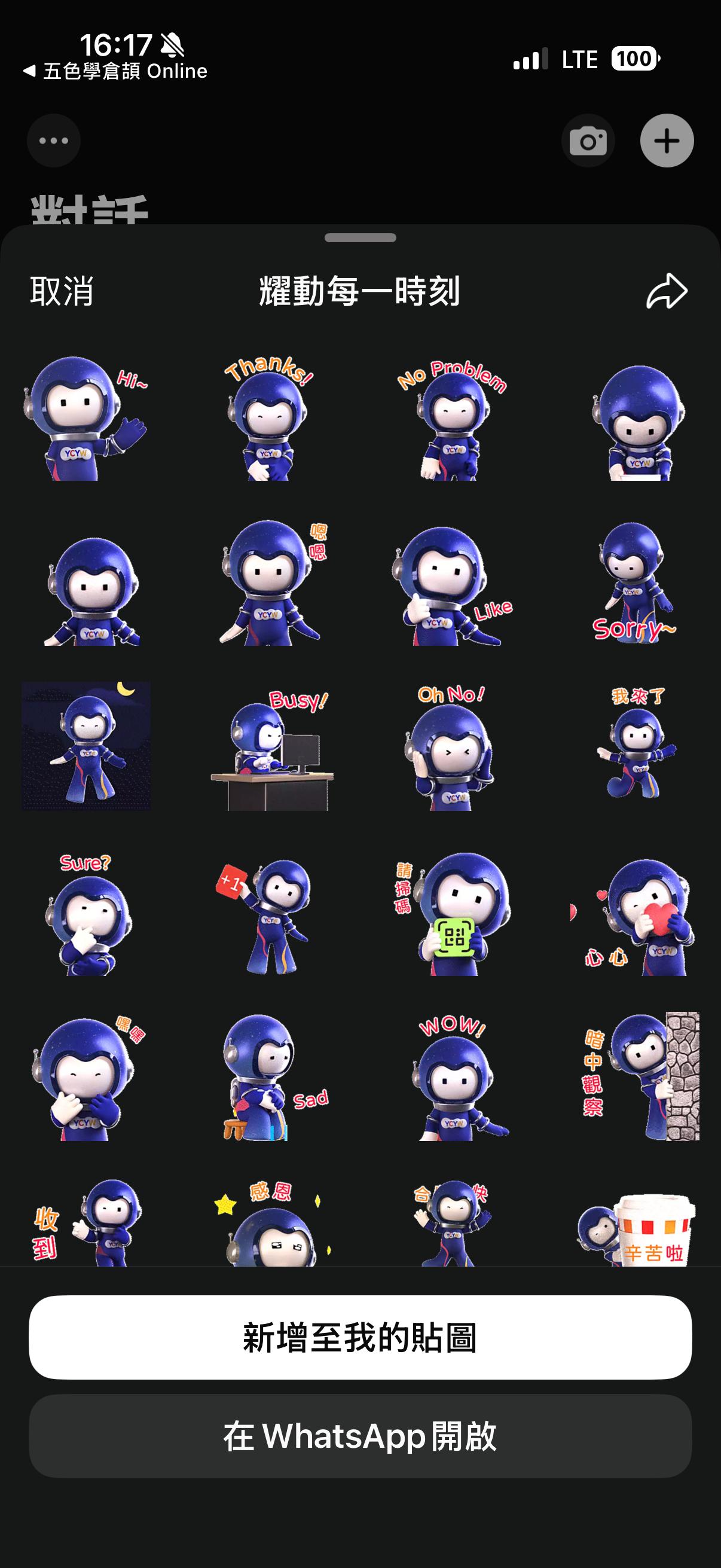
Step 4: Save the stickers to Whatsapp | 步驟四:把貼圖儲存到Whatsapp
Whatsticker link
Whatsticker Page - 耀動每一時刻
Whatsticker Page - 耀耀暖心祝福
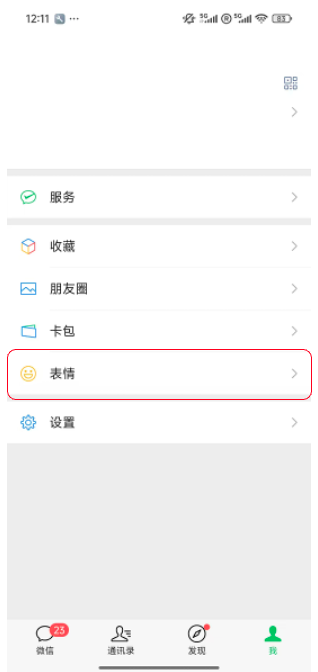
WeChat Sticker Download Tutorial
Step 1: Open WeChat, tap "Me" at the bottom right, and then select "Sticker Gallery".
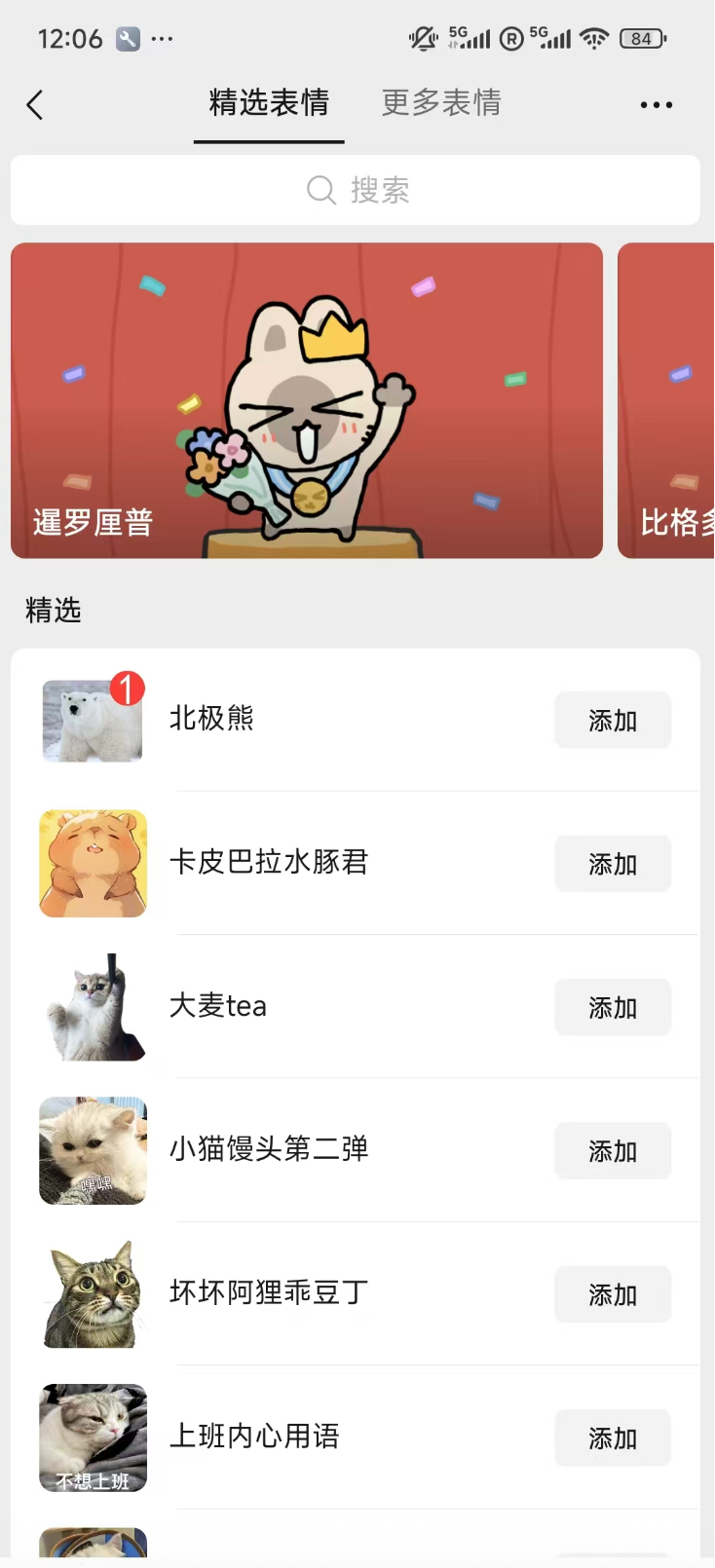
Step 2: Tap the "Search" icon (magnifying glass) at the top right corner.
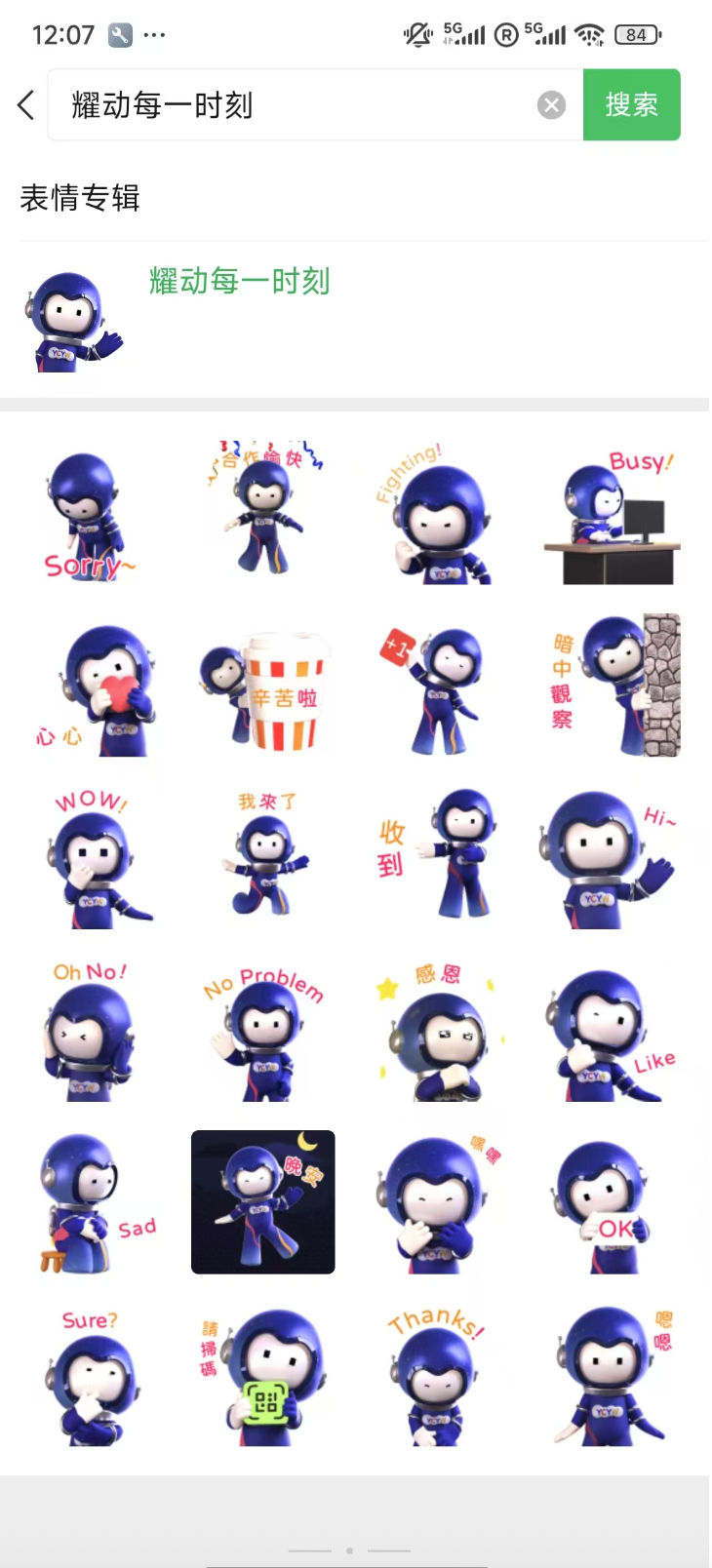
Step 3: Type the sticker name in the search bar: "耀耀暖心祝福" or "耀动每一时刻".

Step 4: Tap on the sticker set and hit the "Add" button to download it for free.
You can also use the "Scan" function in WeChat to scan the QR codes below;
it will take you directly to the download page.

This site uses cookies. By continuing to browse the site, you are agreeing to our use of cookies.
Find out more
Close
Top